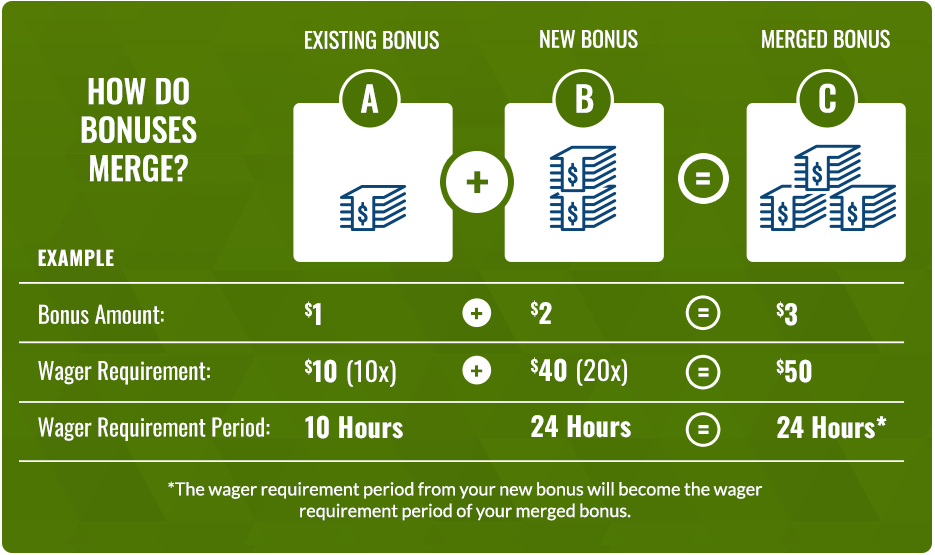
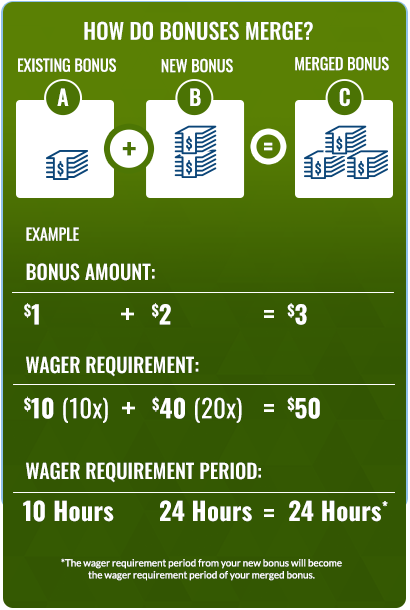

WHAT HAPPENS TO MY EXISTING BONUS ONCE I MERGE IT WITH THE NEW BONUS?
If you merge with an existing ‘active’ bonus
Your existing bonus status will change to ‘Merge Completed’ and show up in your ‘Promotions History’. Your merged bonus status becomes ’Merged’ and will remain an active bonus, which will appear under ‘Your Active Promotions’ section in the Promotions Lobby.
If you merge with a ‘completed’ bonus with no wager requirement
Your existing bonus status remains ‘Completed’. Your merged bonus moves from ‘Promotions for You’ to ‘Your Active Promotions’ section in the Promotions Lobby.

DO I NEED TO MERGE MY BONUSES?
No, you do not have to merge your bonuses. But it’s important to note that you can only have one active bonus* of the same bonus balance type.
*Take note! Progressive bonuses (e.g. Deposit Over Period promo type) will automatically merge only after you meet the qualification requirement for it to become an ‘active’ bonus, and the funds are awarded to your bonus balance.

NOW, WHAT ARE MY OPTIONS?
If you decide to merge:
Select <Yes, merge existing bonuses> in the popup window. Once selected*, you can view your newly merged bonus under ‘Your Active Promotions’ in the Promotions Lobby.
If you decide not to merge:
Select <No, go back to lobby> in the popup window. Once selected, you will be taken back to Promotions Lobby. From there, you can avoid merging by:
- Completing your existing bonus first, then opting into the new bonus.
- Canceling your existing ‘active’ bonus and redeeming the new bonus